


Key Takeaways
- Bad addresses can derail delivery routes. The Fleet Commander app in Precisely AI Studio catches and corrects address errors before a single route is planned.
- Fleet Commander delivers verified stops, an optimized stop sequence for each driver, and depot coverage in seconds.
- You can use the same capabilities through Precisely Model Context Protocol (MCP) in Claude Desktop, VS Code Copilot, and other AI tools you already work in.
A single typo in a delivery address can make every stop after it late. For builders and developers evaluating Precisely AI Studio, the Fleet Commander app offers a concrete test case: watch address errors get corrected before routes are planned, then examine the workflow behind the result.
AI Studio provides ready-made apps, agents, and skills to quickly solve your toughest data challenges, and Fleet Commander is one of its apps.
Today, I’ll walk you through an end-to-end AI route optimization in Fleet Commander to demonstrate how the app can handle real logistics work. To learn more about AI Studio as a whole, start with the Precisely AI Studio overview.
What problem does AI route optimization solve?
AI route optimization plans an efficient stop sequence for each driver, and it’s only as good as the addresses it starts with. If you’re building a delivery-planning workflow, your application needs to handle address errors.
Consider a dispatcher coordinating multiple drivers, delivery stops, and depots:
- One address is missing a unit number
- Another has a typo in the street name
- Routes get built anyway. The driver with the bad stop loses time, and every stop after it runs late.
Routing quality depends on address quality. Checking addresses by hand, stop by stop, is slow and makes errors easy to miss.
Fleet Commander, an app in AI Studio, gives developers a working example of this end-to-end process.
Its metropolitan logistics dashboard, powered by Precisely data, takes a city, configured drivers, and delivery stops, then sends them to the Logistics Optimizer agent. Fleet Commander is the app you interact with, and the agent behind it does the work by calling skills like geocoding. The result is verified addresses, optimized routes, and depot service coverage; a complete set of outputs to inspect when evaluating the workflow for your own application.
To evaluate the workflow yourself, start with a free trial and the app’s included sample scenario. The app supports addresses in the US and Canada.
How do you run AI route optimization with Fleet Commander?
Fleet Commander lets you watch the full workflow run before you build anything. Running AI route optimization takes four steps: open the app, load a city, dispatch the optimizer, and review the results.
My walkthrough below follows one run in Chicago, with two drivers, eight delivery stops, and two addresses that need correcting.
Step 1: Sign in and open Fleet Commander.
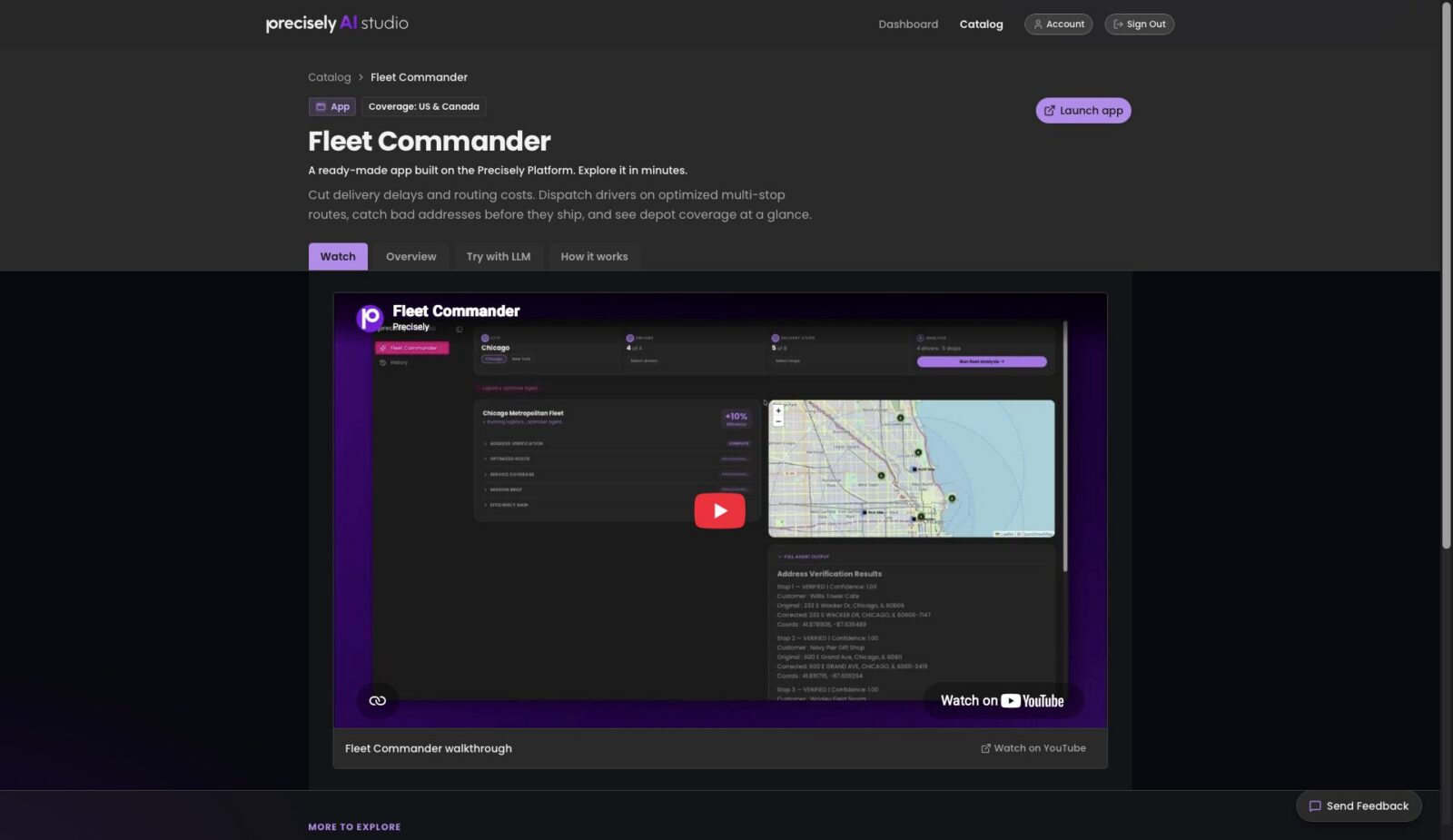
I sign in to AI Studio and open the app from the catalog by clicking “Launch App.”
Step 2: Load a city and review the roster.
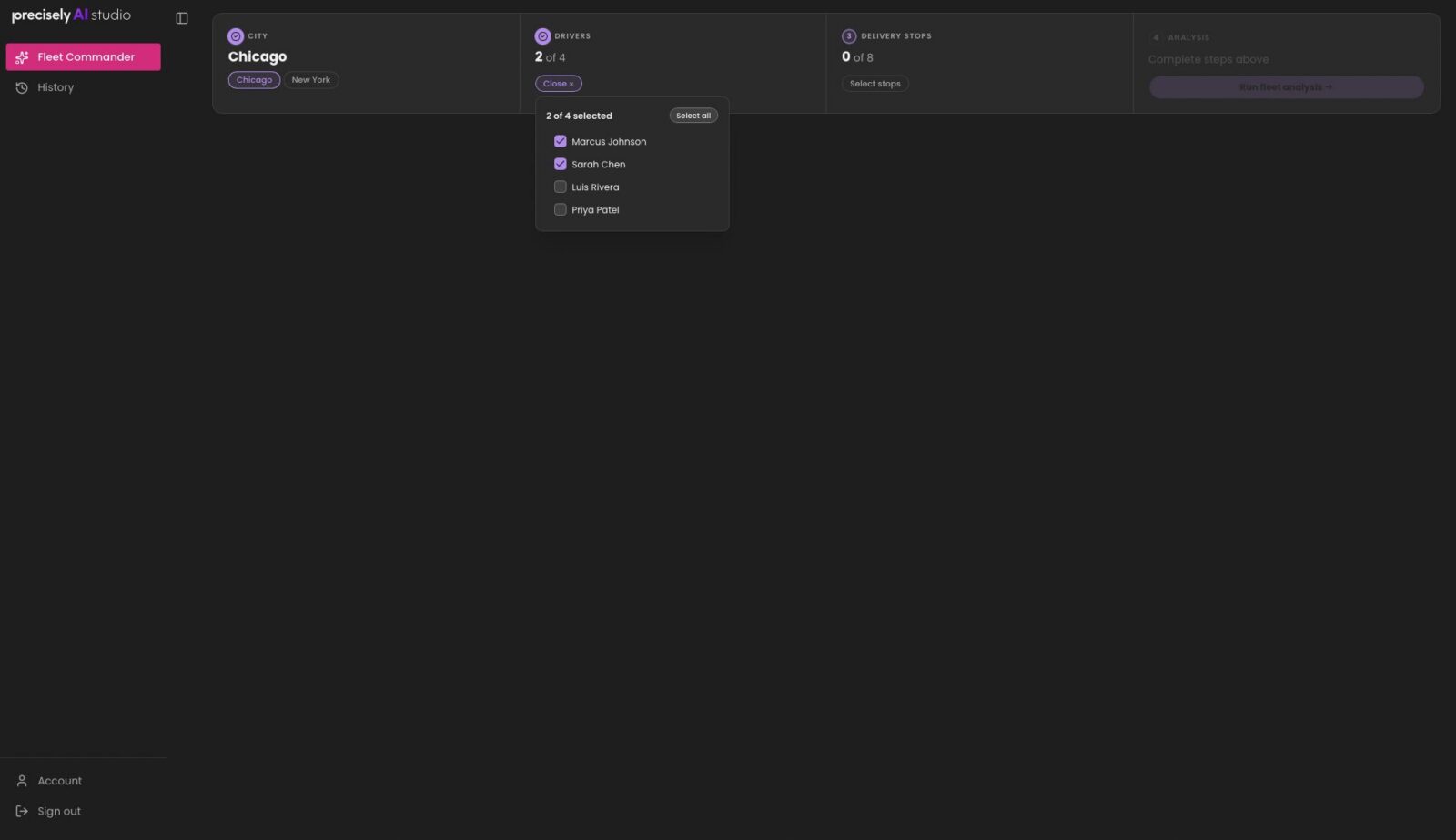
I load Chicago. The drivers panel shows the roster of four drivers for the run, and I select Marcus Johnson and Sarah Chen. The stops panel lists all eight deliveries with an address quality indicator for each, before I dispatch anything.
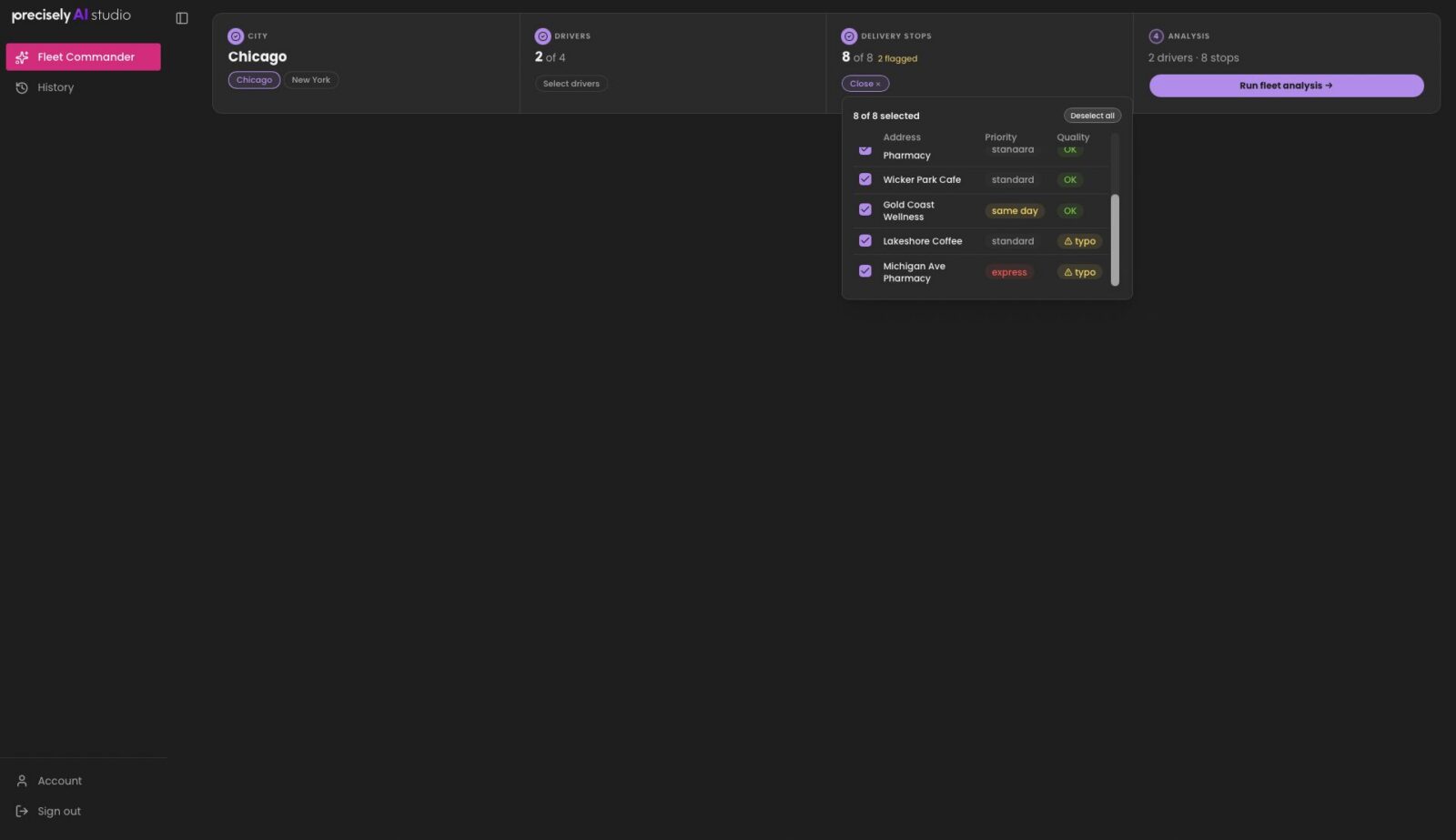
I select all eight delivery stops and see that both Lakeshore Coffee and Michigan Ave Pharmacy are flagged because the quality check found typos in their addresses.
Step 3: Dispatch the optimizer.
I click “Run Fleet Analysis” to send the drivers, stops, and depots to the Logistics Optimizer Agent. It runs its four tools in sequence, which takes about 30 seconds.

Step 4: Review the results.
The run returns verified and geocoded stops, an optimized stop sequence for each of the two selected drivers, and depot coverage across the city.
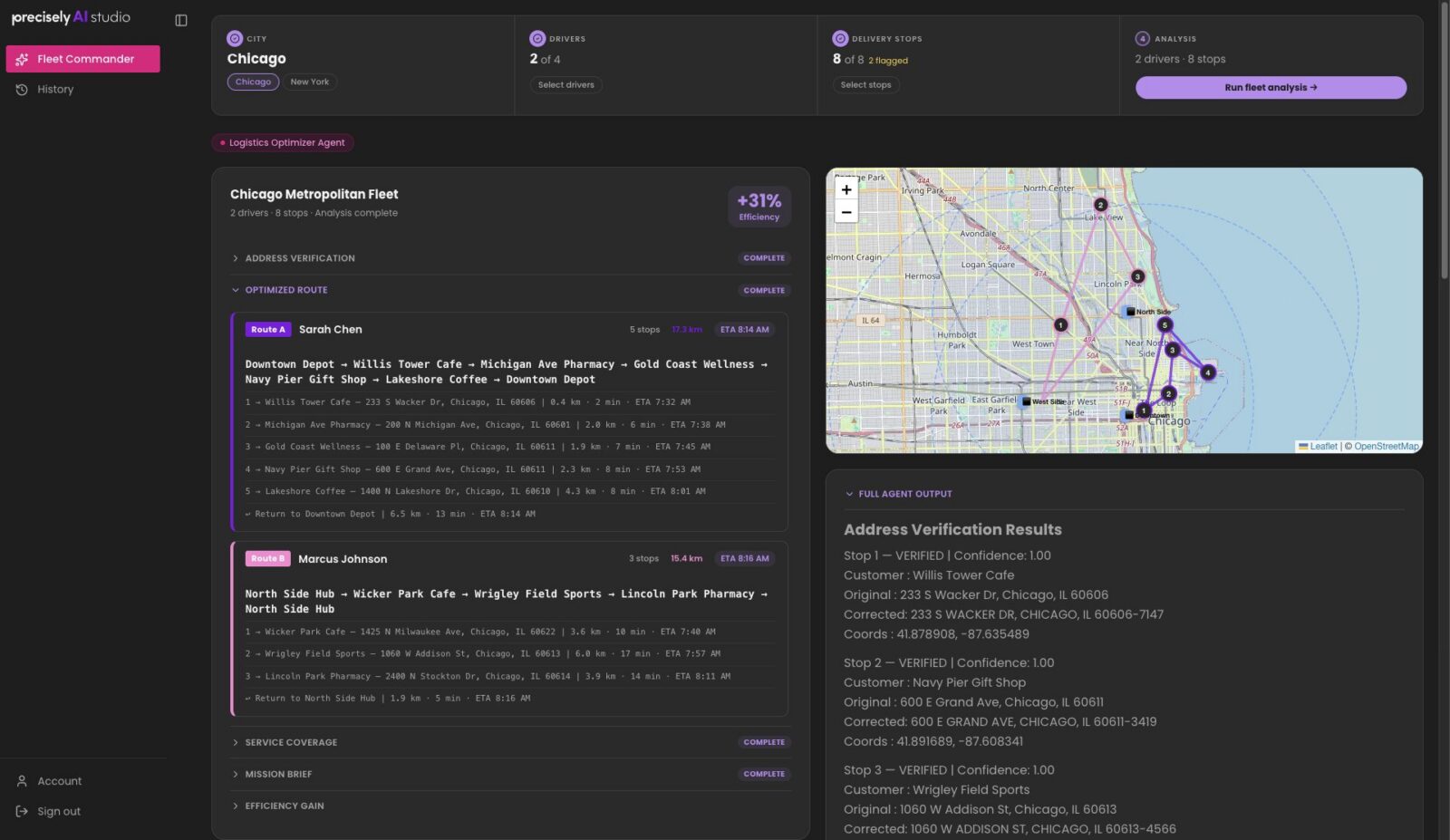
The final mission brief makes the outputs concrete:
- Verified or corrected addresses
- The optimized stop sequence for each driver, with estimated travel time and straight-line distance
- Processing details
- Service coverage
In this sample run, my results were delivered about 30 seconds after I clicked “Run Fleet Analysis.”
How does the Logistics Optimizer Agent work?
Behind the dashboard, the agent runs four steps using the Precisely MCP. Each step builds on the one before it:
- Address verification (verify_address) validates every delivery stop.
- Geocoding (geocode) pins each verified address to a location.
- Route planning (routing.directions) assigns an optimized stop sequence to each driver.
- Travel analysis (routing.reachable_area and routing.travel_matrix) estimates depot service coverage across the city.
The order is what makes it work. Every stop is verified and geocoded before a route is planned, so the planner starts from locations it can trust.
In the sample run, correcting typos in the Lakeshore Coffee and Michigan Ave Pharmacy addresses made those stops reliable and complete enough to route.
The data quality and location capabilities behind those tools come from the Precisely Platform, a unified data management platform for AI-ready data, currently in preview. AI Studio gives builders ready-made apps, agents, and skills that you can explore hands-on to see what you can build. MCP lets you bring them into your own tools. Every asset is pre-connected through it.
How do you use Precisely AI Studio MCP in your own tools?
Once you’ve evaluated the sample results and tool sequence, the next step is to try an agent or skill in your own environment.
Download it from AI Studio and connect through the Precisely-hosted MCP server. The Precisely MCP supports Claude Desktop, GitHub Copilot CLI, VS Code Copilot, and Databricks, so you can explore the same routing capabilities through natural-language requests in tools you already use.
Check out our guide on how to set up Precisely MCP for AI Studio agents and skills, and see our own Precisely CPO, Matt Waxman, try it out for himself in the clip below.
From there, a team could run the same pattern on a larger set of stops or pair it with another asset to clean a full delivery file before dispatch.
Start building to solve your toughest data challenges
So how long does it take to get from a stack of delivery stops to verified, optimized routes? For me, about 30 seconds.
That’s the point of ready-made AI assets. You see a complete result first, then decide what to build around it. Start your free trial at precisely.ai and run Fleet Commander for yourself today. While you’re there, explore the full catalog to discover how quickly you can build data solutions that solve your biggest challenges.